Before you follow the route
Use the live HUD and the visible result after each step before moving to the next one.
- 01
Finish the Court unlock checkpoint
Do this
On the House/Easy route described here, finishing Court at its final wave and 100.0% produces Unlocked: Pool & Backyard & Maze and changes the current objective to Unlock Farm.
You should see
The unlock message explicitly includes Backyard.
- 02
Cross the correct area boundary
Do this
After the unlock, pass through the wooden side gate behind the house and keep moving until the HUD reads Backyard rather than Frontyard, Pool, or Maze.
You should see
The live HUD confirms that you are inside Backyard.
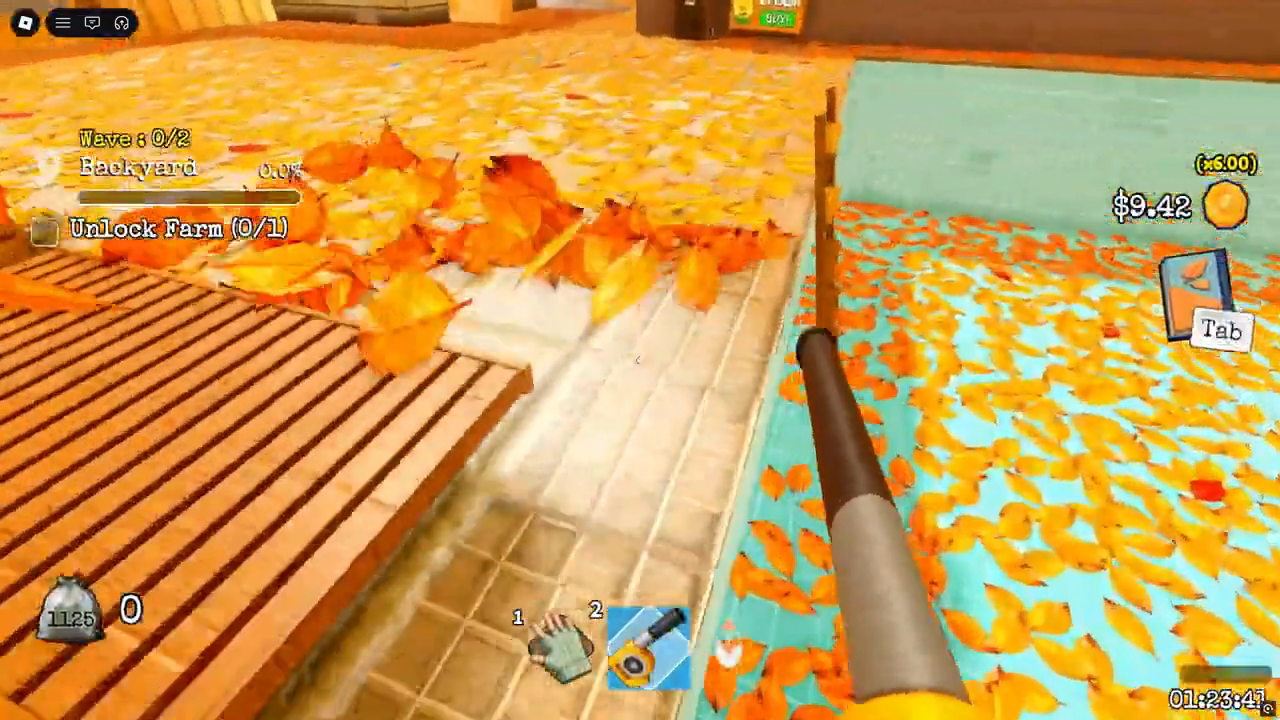
Confirm the HUD says Backyard before clearing the poolside patio; stepping into the Pool changes the area label.
Source: MilkyBlox - 03
Clear only the Backyard state
Do this
Clear the Leaves while the HUD reads Backyard, follow current arrows and vents, and use the local wave and percentage state; Pool and Maze keep separate HUD progress and are not part of the Backyard total.
You should see
Backyard completion is judged by its own wave, percentage, and completion feedback.
Watch the route
Jump to this part of the video.
Relevant section 05:55–08:13