
Before you follow the route
Use the live HUD and the visible result after each step before moving to the next one.
- 01
Identify the correct door
Do this
The closed Garage is the white roll-up door attached to the right side of the Frontyard house, marked Find the button to open it!.
You should see
You can distinguish the Garage from the nearby wooden gate.
- 02
Press the Shed button
Do this
Enter the separate Shed and use the red dome button on the left end of the workbench under the large window, beside the green Infinite Bag display.
You should see
The game responds to the button interaction.
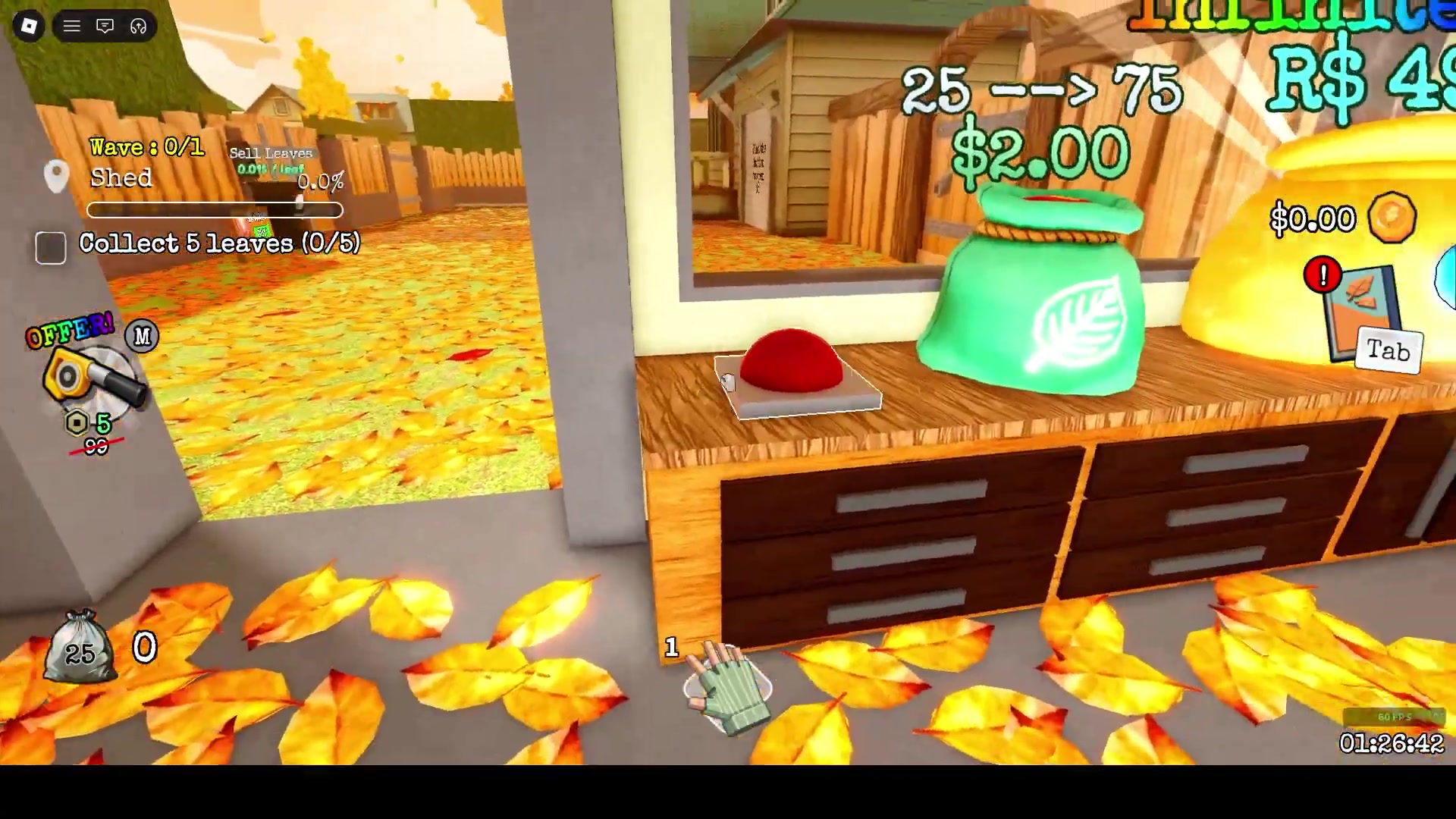
The Garage control is the red domed button on the Shed workbench; the Garage is visible through the window.
Source: VaporSet - 03
Confirm the Garage opened
Do this
A successful interaction produces You completed a quest! and raises the white Garage door, revealing a lit entrance; check both signals before assuming the door is open.
You should see
The raised door and lit entrance make the Garage accessible.
Watch the route
Jump to this part of the video.
Relevant section 00:12–00:29